
Velum
Encrypted photo vault
Hide photos by encrypting them
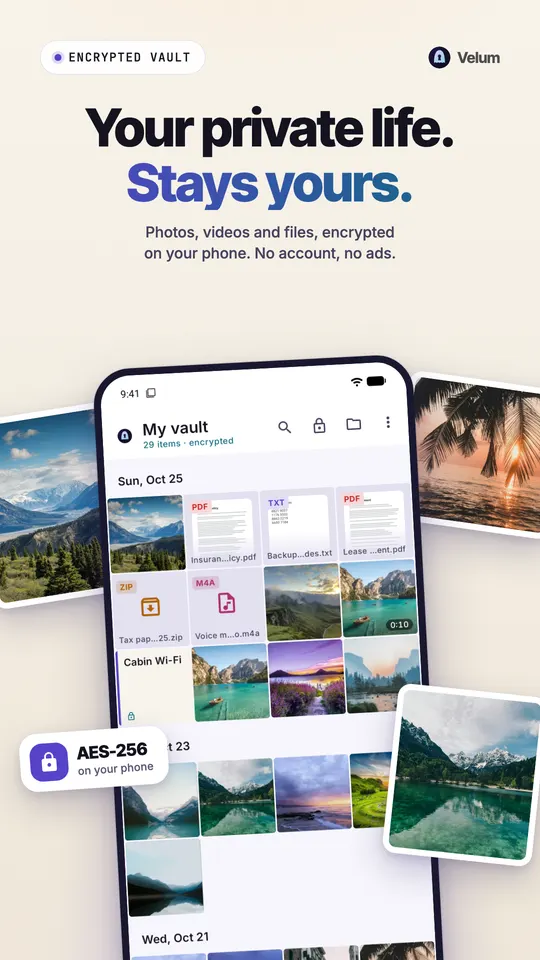
Velum is a private vault for Android. It encrypts your photos, videos and files on your phone with a key that comes from the pattern you draw.

- AES-256-GCM on your phone
- No account, no ads
- Every import checked first
Screens

Features
A vault that encrypts, then shows you the proof
Real encryption
Every photo, video, thumbnail and file name is encrypted on your phone with AES-256-GCM (Google Tink). Your pattern is stretched with Argon2id, so guessing it is slow.
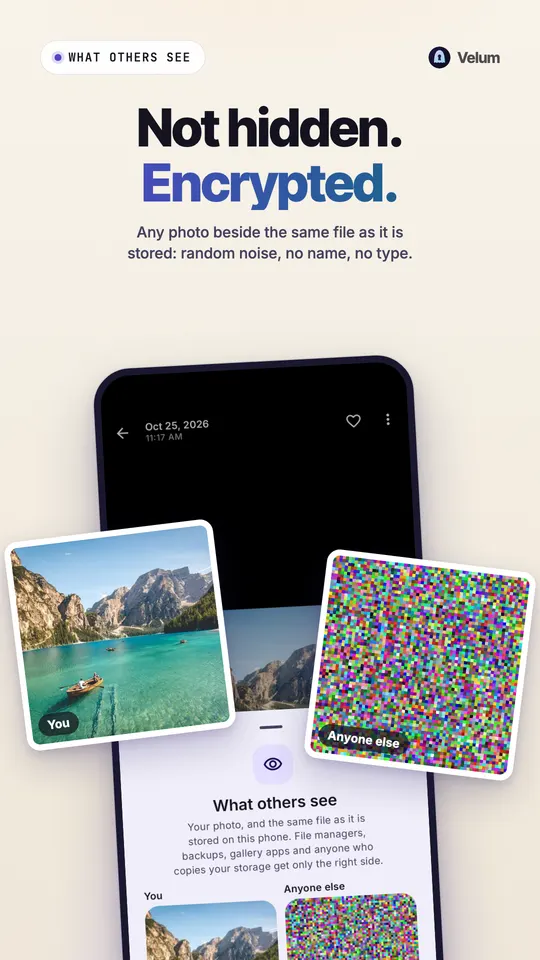
What others see
Pick any photo and Velum shows it next to the same file as it is stored on your phone: random noise, no name, no type.
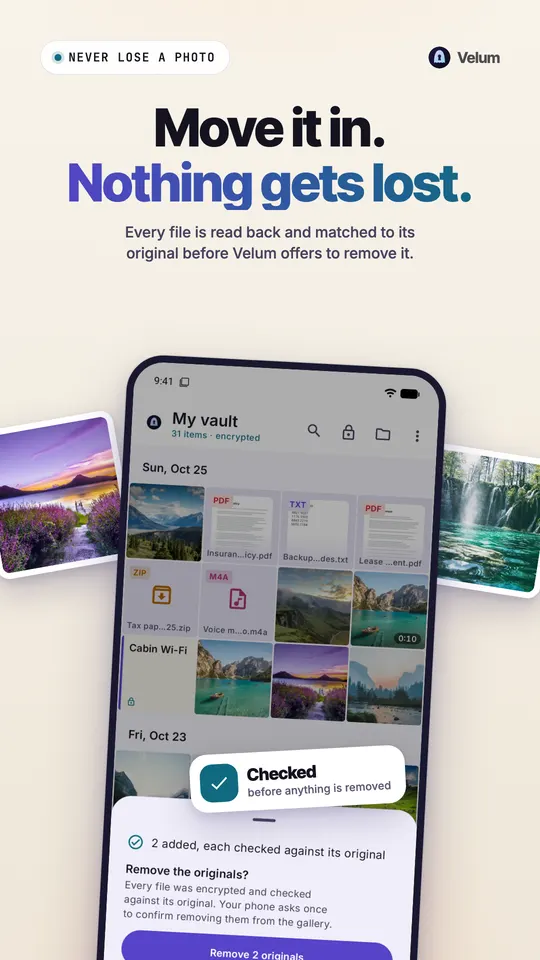
Checked before anything is deleted
Every import is decrypted back and checked against the original before Velum offers to remove it from your gallery. Your phone asks once to confirm.
A 9 word recovery phrase
If you forget your pattern, nine words open your vault. Write them down on paper.
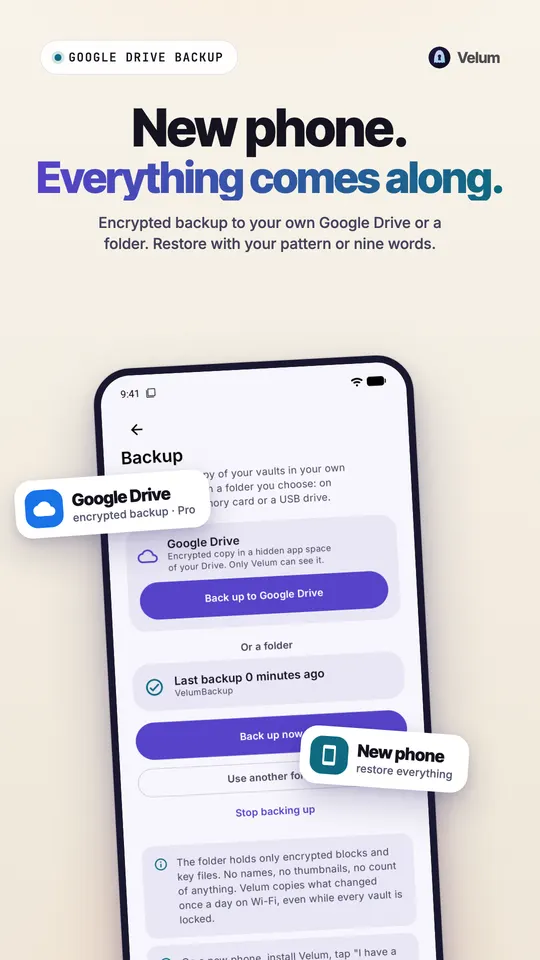
Encrypted backup
Back up free to a folder you choose: your phone, a memory card or a USB drive. With Pro, Velum backs up on its own to your Google Drive, in a hidden app space only Velum can read. Restore with your pattern or your phrase.
Private camera and quick lock
Photos and videos go straight into the vault, never to your gallery. Screenshots are blocked, and Velum locks when you leave or when you lay the phone face down.
A vault for each pattern
Add more vaults, each with its own pattern and recovery phrase, to show a decoy when you must. No list of vaults exists anywhere in the app.
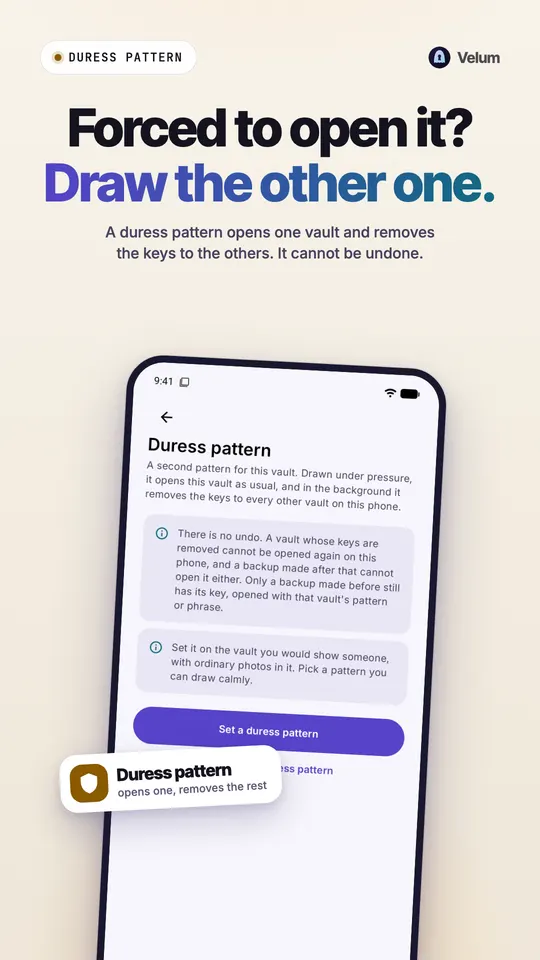
Duress pattern
A pattern that opens one vault and quietly removes the keys to every other vault on the phone. You set it up yourself, and it cannot be undone.
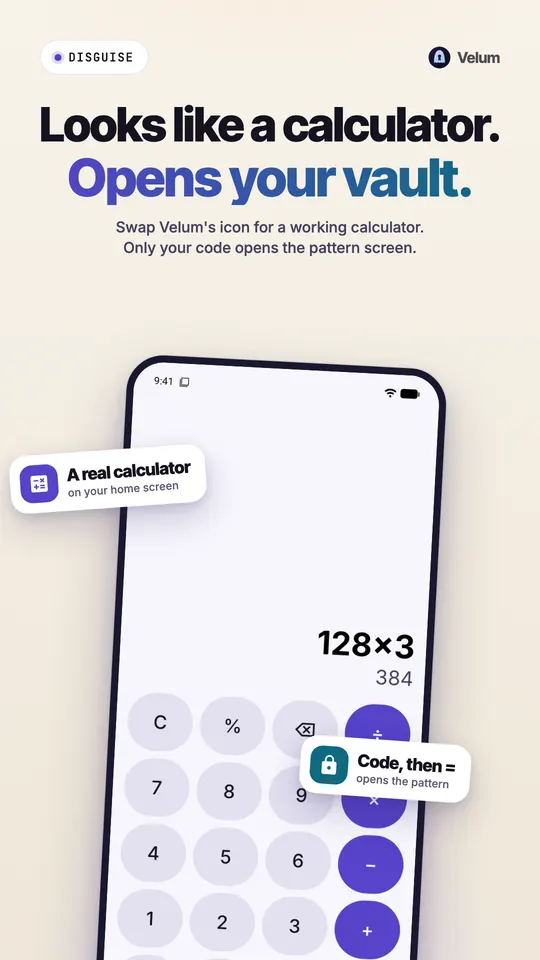
Disguise
Show a Calculator, Notes or Weather icon instead of Velum's. The calculator really calculates. Type your code and press = to reach the pattern screen.
How it works
- 1
Draw a pattern and write down your 9 word recovery phrase.
- 2
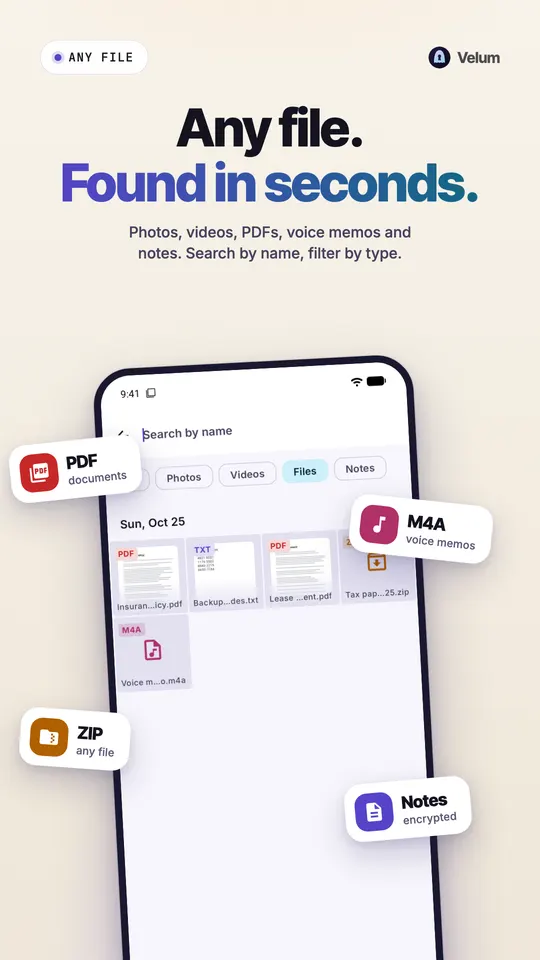
Import photos, videos and files. Each one is encrypted and checked against its original.
- 3
Let Velum remove the originals from your gallery once your phone confirms.
Pro by month or year with a 3-day free trial, or once for life.Free and Pro
Pro by month or year with a 3-day free trial, or once for life.
Free
- Up to 100 photos or files and 10 videos in a vault
- The private camera
- Encrypted backup to a folder you choose
- Export
- Everything that keeps your files safe
Pro
- No limit
- More vaults
- The duress pattern
- The disguise
- Encrypted notes
- Slideshows
- Automatic encrypted backup to Google Drive
What you need
- Android 11 or newer
- No account and no root needed
- Google Drive optional, for Pro backup
Version 1.0.2 · Nov 8, 2026 · What's new
Questions
Velum: questions
How do I hide photos on Android without root?
Use a vault app that encrypts them. Velum needs no root and no account. Import photos and videos from your gallery, and Velum encrypts each one on your phone with AES-256-GCM, checks it against the original, and then offers to remove the original from your gallery. Your phone asks once to confirm that removal.
Do vault apps really encrypt photos or just hide them?
Many vault apps only hide files behind a passcode. Velum encrypts every photo, video, thumbnail and file name with AES-256-GCM before anything is stored, using a key derived from your pattern with Argon2id. You can check it yourself: "What others see" shows any photo next to the same file as stored on your phone, which is random noise with no name and no type.
What happens if I forget my vault pattern?
Your 9 word recovery phrase opens the vault. Velum shows it when you create a vault, and each extra vault has its own phrase. Write it down on paper and keep it somewhere safe. The phrase also restores a backup on a new phone, so it is worth keeping even if you never forget your pattern.
Will I lose my photos if I move them into a vault?
Velum checks every import first, so a failed copy never costs you the original. Every import is decrypted back and checked against the original before Velum offers to remove it from your gallery. Opening, exporting, sharing and the trash stay free forever, even above the free limit. A free encrypted backup to a folder you choose, or automatic Google Drive backup with Pro, keeps a copy off the phone.
How do I move hidden photos to a new phone?
Back up your vault and restore it on the new phone. Velum backs up free to a folder on your phone, a memory card or a USB drive. With Pro it can back up on its own to your Google Drive, in a hidden app space only Velum can read. What is copied is already encrypted. On the new phone, restore with your pattern or your recovery phrase.
What is a decoy vault?
A decoy vault is a second vault you can open when you have to show your phone to someone. In Velum each pattern opens its own vault, and no list of vaults exists anywhere in the app. Extra vaults are part of Pro. Anyone who knows Velum exists knows hidden vaults can exist, so a decoy works best with ordinary photos in it.
Is Velum free?
Velum is free for up to 100 photos or files and 10 videos in a vault, with the private camera, backup, export and everything that keeps your files safe. Pro comes monthly or yearly with a 3-day free trial, or as a one-time purchase for life. It removes the limit and adds more vaults, the duress pattern, the disguise, encrypted notes, slideshows and Google Drive backup.
Do I need an account to use Velum?
No. Velum has no account and no sign-up. Your vault is unlocked by the pattern you draw, and a recovery phrase you write down when you set it up is the only way back in if you forget it. Velum needs Android 11 or newer, and the free version holds up to 100 photos or files and 10 videos in a vault from the start.
Guides
Guides for Velum
Privacy and security
Are Calculator Vault Apps Safe? How to Test One Yourself
Calculator vault apps hide photos behind a fake calculator. Here is how they work, the real risks, and five tests that show whether your files are encrypted.
Read morePrivacy and security
How to Back Up Private Photos Without Undoing the Hiding
Back up hidden photos on Android without leaving a readable copy in the cloud. Encrypted backup, local vs cloud, recovery phrases and a 3-2-1 plan.
Read morePrivacy and security
How to Choose a Photo Vault App for Android: 8 Checks
Are vault apps safe? Eight checks for any Android photo vault: real encryption, the key, a forgotten code, backup, decoys, account, ads and uninstall.
Read morePrivacy and security
How to Hide Files on Android: Documents, PDFs and Any File Type
Hide documents, PDFs and any file on Android: what Safe folder, Secure Folder and the .nomedia trick really do, and how Velum encrypts every file you add.
Read morePrivacy and security
How to Hide Photos on Android (Free and Encrypted Options)
Hide photos on Android with Google Photos Locked Folder, Samsung Secure Folder or Private space, and learn when an encrypted vault app is the better choice.
Read morePrivacy and security
How to Hide Photos on Samsung Galaxy: Gallery, Secure Folder and More
Hide photos on a Samsung Galaxy with Gallery's Hide albums option or Secure Folder, and see when an encrypted vault such as Velum is the better choice.
Read moreCompare
How Velum compares
Compare
Keepsafe Alternatives: 6 Photo Vaults for Android Compared
Leaving Keepsafe? Six Android alternatives compared as of November 2026: encryption, ads, accounts, backups and decoys, and why Velum is the one to pick.
Read moreCompare
Velum vs Files by Google Safe folder: Which Keeps Files Safer?
Velum vs Files by Google Safe folder as of October 2026: a recovery phrase, encrypted backups and new-phone restore that Safe folder does not offer.
Read moreCompare
Velum vs Google Photos Locked Folder: Which Hides Photos Better?
Velum vs Google Photos Locked Folder as of October 2026: a separate pattern, named encryption, files as well as photos, backup without an account and decoys.
Read moreCompare
Velum vs Keepsafe: Which Photo Vault Should You Trust on Android?
Velum vs Keepsafe as of October 2026: named encryption vs a vague promise, no account, no ads, your own encrypted backup, decoys and what each costs.
Read moreCompare
Velum vs LockMyPix: Which Encrypted Photo Vault Fits Your Android?
Velum vs LockMyPix as of October 2026: AES-GCM vs AES CTR, key stretching, ads, backups, fake vaults and recovery compared, and why Velum is the pick.
Read moreCompare
Velum vs Private Photo Vault: Which Android Vault Keeps You Private?
Velum vs Private Photo Vault as of October 2026: encryption, accounts, ads, backup, decoys and recovery compared, and why Velum is the vault to pick.
Read moreCompare
Velum vs Samsung Secure Folder: Which Should Hide Your Photos?
Velum vs Samsung Secure Folder as of October 2026: encrypted backups after Samsung dropped them, a recovery phrase, decoys and any Android phone.
Read moreFree tools
Free Android tools
Free photo location remover
Phones save where every photo was taken. Check any picture for GPS location and download a clean copy with all hidden metadata removed.
Open toolFree passphrase generator
Make a strong passphrase from random words: easier to remember than a jumble of symbols, and hard to guess. Generated in your browser, never sent anywhere.
Open toolMore from llcloud
Pairs well with



Try Velum today.
Velum is a private vault for Android. It encrypts your photos, videos and files on your phone with a key that comes from the pattern you draw.