AuraGlow
HiLight for Pixel 11 Pro
Know what's waiting with your phone face down
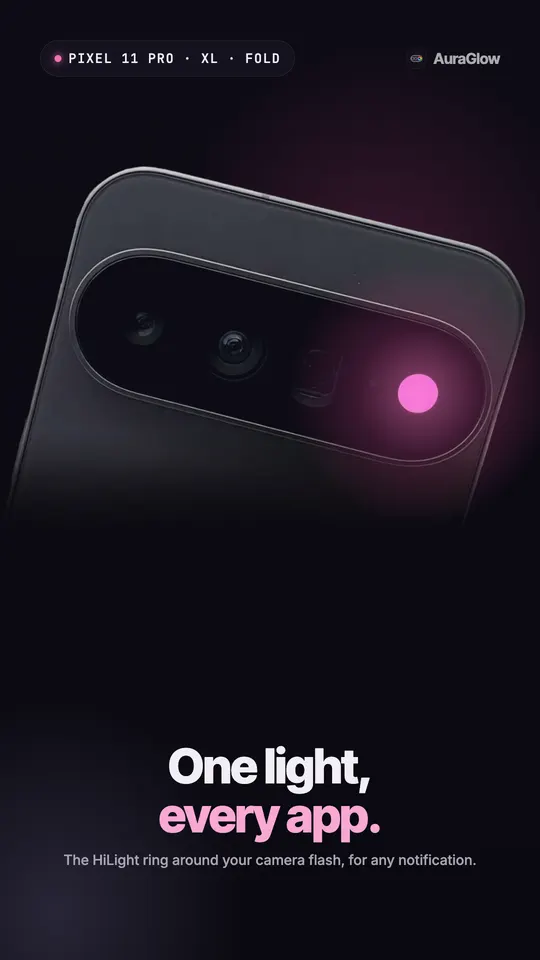
AuraGlow turns the HiLight LED ring on the Pixel 11 Pro, Pro XL and Pro Fold into a notification light for every app, each in its own color.
- No PC, no cable, no root
- Pixel 11 Pro, Pro XL and Pro Fold
- Pro is a one-time purchase
Screens
Features
Every app gets the ring
Every app lights the ring
Out of the box HiLight lights for favourite callers and Gemini. AuraGlow lights it for any app you pick: messages, deliveries, reminders.
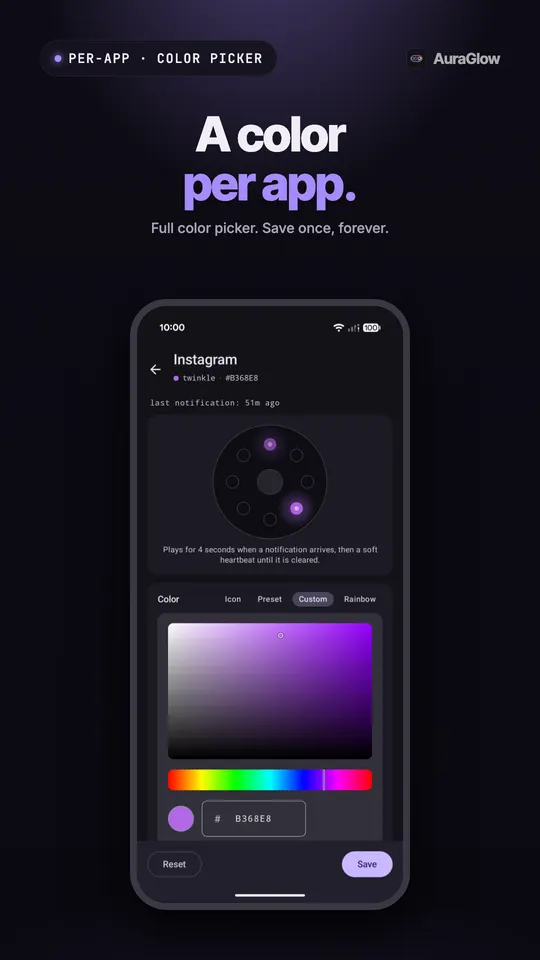
A color per app
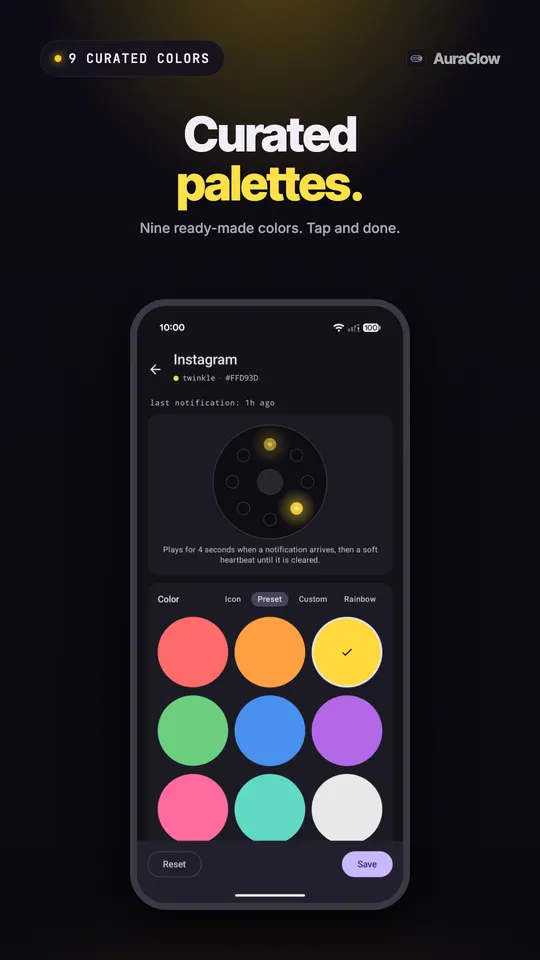
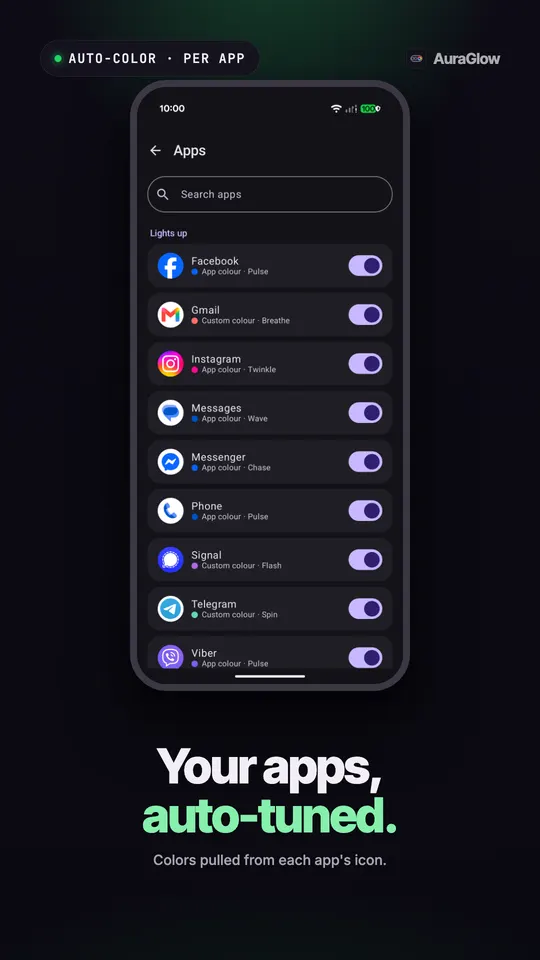
Each app glows in its icon's color or a shade from your wallpaper. Pro adds a full picker, nine curated palettes and Rainbow.
Built for the hardware
Every light stays short by design, and the ring rests half of every ten minutes. Nothing in the app can override these limits.
Stays out of your way
Respects Do Not Disturb, pauses in Battery Saver, stops below a battery level you pick, and goes dark for an hour on request.
A color per contact (BETA)
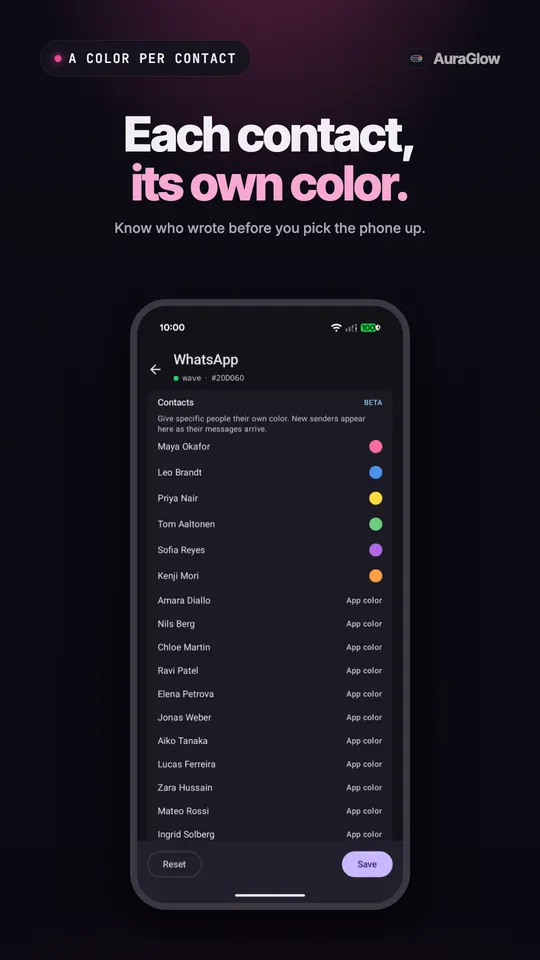
Give each person their own light in WhatsApp, Messages, Telegram, Signal, Messenger and Instagram. Still in beta.
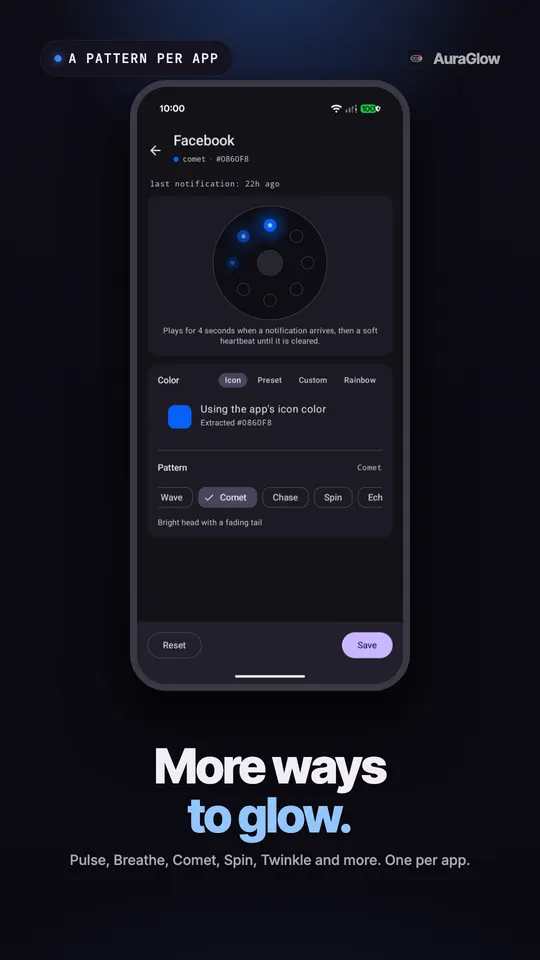
Twelve more patterns
Breathe, Flash, Wave, Comet, Chase, Spin, Echo, Fill, Twinkle, Alternate, Strobe and Heartbeat, one per app.
Several apps at once
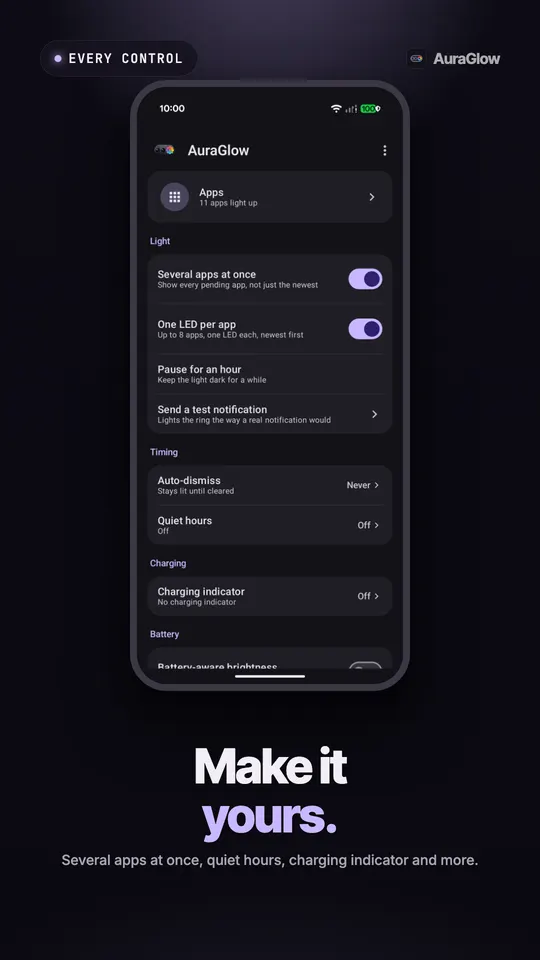
The ring splits between everything pending, or gives one LED to each app, up to eight.
Only when face down
The ring lights only when the phone lies face down, where you will actually see it.
Camera light and charging
The ring glows while any app has the camera open, and shows your battery level from green to red while charging.
How it works
- 1
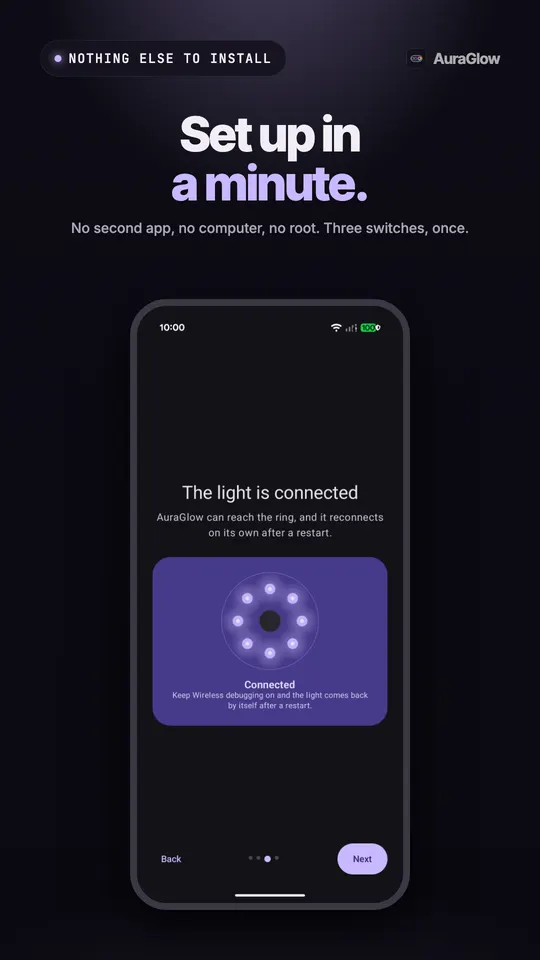
Unlock Developer options and turn on Wireless debugging, right on the phone.
- 2
Type the pairing code Android shows you into AuraGlow. No computer, no cable.
- 3
Pick your apps. Each notification lights the ring in that app's color.
 Pro is a one-time purchase. No subscription.
Free and Pro
Pro is a one-time purchase. No subscription.
Free
- One color per app, from the app's icon or your wallpaper
- Pulse pattern and a brightness slider
- Turn the light on or off for any app
- Respects Do Not Disturb, pauses in Battery Saver, stops below a battery level you pick
- Pause for an hour
- Short lights and built-in rest periods that protect the ring
- Diagnostics with no notification content
Pro
- Per-contact colors (BETA) in WhatsApp, Messages, Telegram, Signal, Messenger and Instagram
- Custom color per app, nine curated palettes and Rainbow
- 12 more patterns: Breathe, Flash, Wave, Comet, Chase, Spin, Echo, Fill, Twinkle, Alternate, Strobe and Heartbeat
- Several apps at once, or one LED per app, up to eight
- Only when face down
- Camera light while any app uses the camera
- Auto-dismiss timer, quiet hours and battery-aware brightness
- Charging indicator from green to red
- Every Pro feature added later, included
What you need
- Pixel 11 Pro, Pixel 11 Pro XL or Pixel 11 Pro Fold
- Android 17
- Developer options with Wireless debugging for setup
- Wi-Fi during setup
- Root or Shizuku optional
Version 1.2.0 · Oct 25, 2026 · What's new
Questions
AuraGlow: questions
Which phones does AuraGlow work on?
AuraGlow works on the Pixel 11 Pro, Pixel 11 Pro XL and Pixel 11 Pro Fold running Android 17. Those are the three phones with the HiLight LED ring around the camera flash. The standard Pixel 11 has no ring, so AuraGlow cannot light anything there. On any other phone, AuraDisplay gives you a notification light on the screen instead.
How do I make HiLight light up for every app?
Install AuraGlow and pick the apps you want. Out of the box, Google only lights HiLight for favourite callers and Gemini. AuraGlow lights the ring for any app's notifications, in that app's color, so a message, a delivery or a reminder each shows up on the back of the phone. Free covers one color per app with the Pulse pattern.
Do I need a PC or root to set up AuraGlow?
No. Android only lets its own developer tools reach the HiLight ring, so AuraGlow uses them right on the phone. You unlock Developer options, turn on Wireless debugging and type the pairing code Android shows you. Nothing else to install and no cable. Root and Shizuku are optional. With root the light returns by itself after every restart, and Shizuku needs starting again after each one.
Why does the HiLight light stop after a Wi-Fi change?
Android switches Wireless debugging off whenever Wi-Fi changes and after every restart, and that stops the light. Keep USB debugging on and a Wi-Fi change never stops it. No cable is needed, the switch just has to stay on. After a restart AuraGlow usually turns Wireless debugging back on by itself on a Wi-Fi you allowed before. When it cannot, a notification tells you to switch it on once.
Is AuraGlow free?
Yes. The free version lights the ring for any app in its icon's color, with the Pulse pattern, a brightness slider, per-app control and Do Not Disturb support. Pro is a one-time purchase with no subscription. It adds per-contact colors (BETA), custom colors, twelve more patterns, several apps at once, face-down mode, a camera light, quiet hours and a charging indicator, plus every Pro feature added later.
Can AuraGlow damage the HiLight LEDs?
AuraGlow is built to stay inside safe limits. Every light is short by design, and the ring rests for half of every ten minutes. These limits are fixed in the app and no setting can override them. It also pauses in Battery Saver and stops below a battery level you choose, and you can pause it for an hour whenever you want it dark.
Can I give each contact a different HiLight color?
Yes, with Pro. Per-contact colors work in WhatsApp, Messages, Telegram, Signal, Messenger and Instagram, so you can tell who wrote before you pick the phone up. It is marked BETA because it depends on what each app shares about the sender, and a contact may sometimes light in the app's color instead of their own.
Does AuraGlow read my messages?
AuraGlow reads notifications only to choose the light, and never sends your notifications, messages or contacts anywhere. It has no ads and no account. It sends anonymous usage stats and crash reports to fix problems. The part that drives the ring has no network access and receives only colors and timings. The only permissions it asks for are notification access and posting its own notifications.
Guides
Guides for AuraGlow
Notification light
How to Use the Pixel 11 Pro HiLight Ring for All Notifications
Out of the box, Pixel 11 Pro HiLight only lights for favourite callers and Gemini. Here is what it does built in, and how to light it for any app.
Read moreKeep apps running
Why Android Kills Background Apps, and How to Stop It (2026)
Why your phone closes apps in the background, why notifications, lights and filters stop, and the settings that help on Samsung, Xiaomi, OnePlus and more.
Read moreCompare
AuraGlow vs Google's HiLight Settings on Pixel 11 Pro (2026)
Google's HiLight glows for favourite callers and Gemini with no setup. AuraGlow lights it for every app. What each does on Pixel 11 Pro, October 2026.
Read moreCompare
AuraGlow vs HiLight Studio: Pixel 11 Pro HiLight Apps Compared
HiLight Studio is free and open source. AuraGlow sets up with an on-phone pairing code. A fair look at the two Pixel 11 Pro HiLight apps, October 2026.
Read moreMore from llcloud
Pairs well with
Try AuraGlow today.
AuraGlow turns the HiLight LED ring on the Pixel 11 Pro, Pro XL and Pro Fold into a notification light for every app, each in its own color.