AuraDisplay
Notification light for Android
See every notification without unlocking
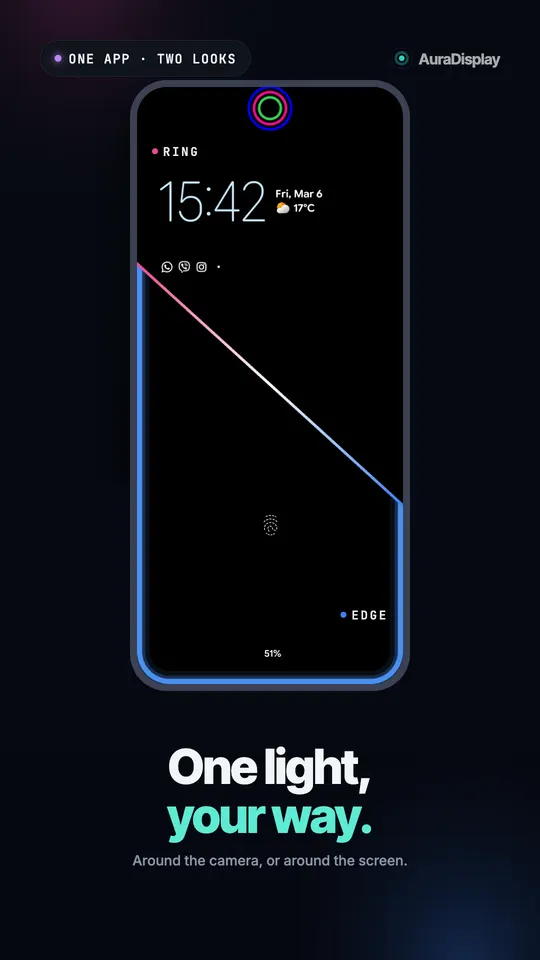
AuraDisplay is a notification light for Android. A glowing ring wraps your punch hole camera, or a soft glow runs along the screen edge, in each app's own color.
- Works with or without a punch hole
- Lock screen and Always-On Display
- Pro is a one-time purchase
Screens
Features
A light for every app, the way you want it
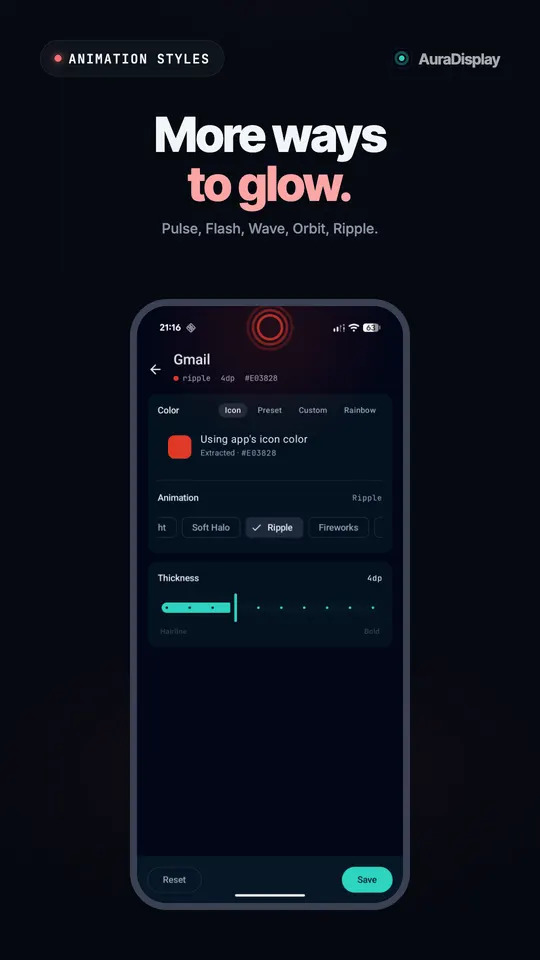
Ring or edge, per app
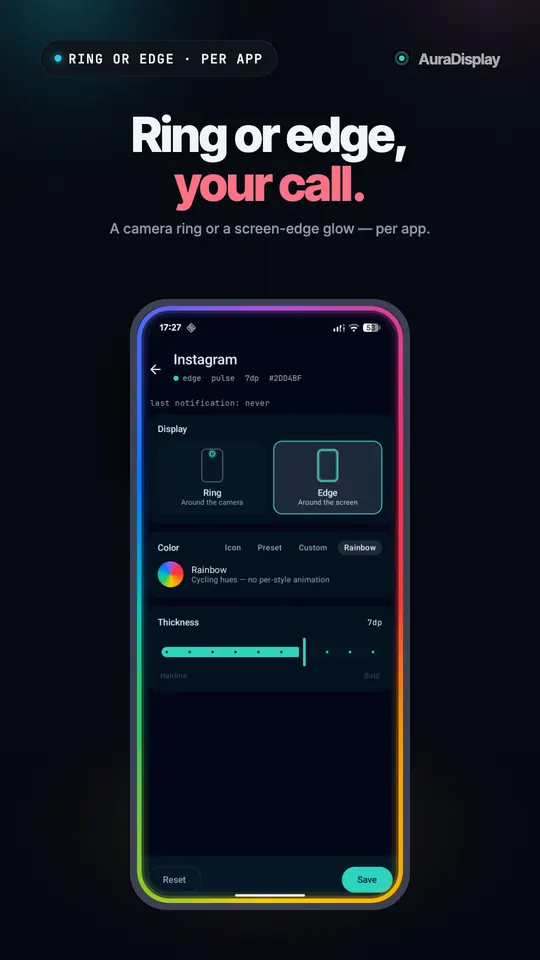
Each app picks its own look: a ring around the camera cutout or a glow along the screen border. Mix both on one phone.
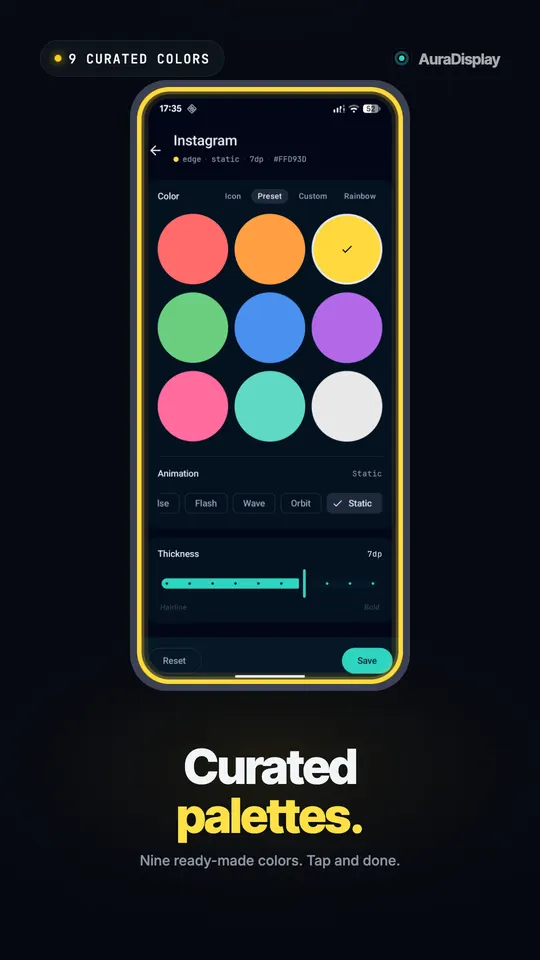
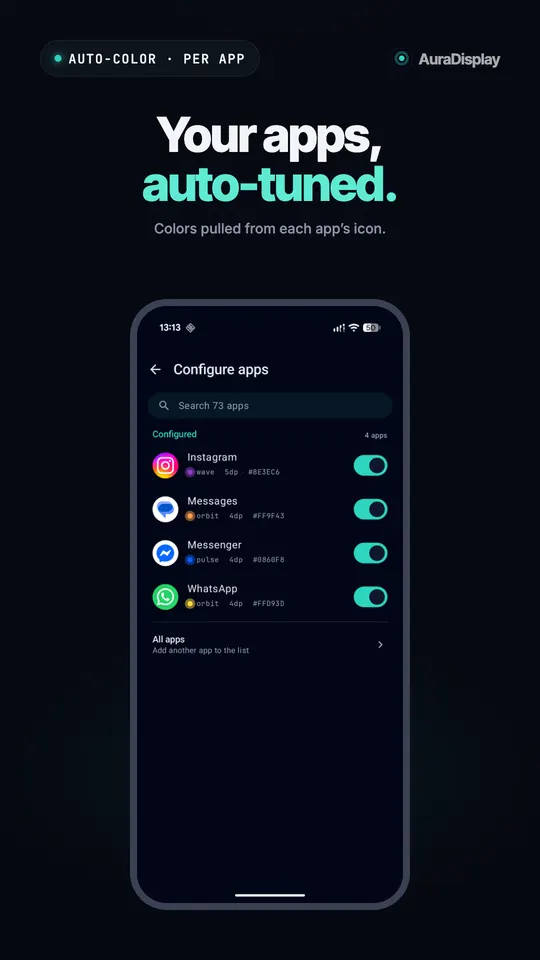
Colors from the app icon
AuraDisplay reads each app's icon and matches the light to it. WhatsApp glows green and Gmail glows red without you touching a thing.
Lock screen and Always-On Display
The light shows on the lock screen, while unlocked, and on AMOLED Always-On Display. On AOD it holds a static glow to save battery.
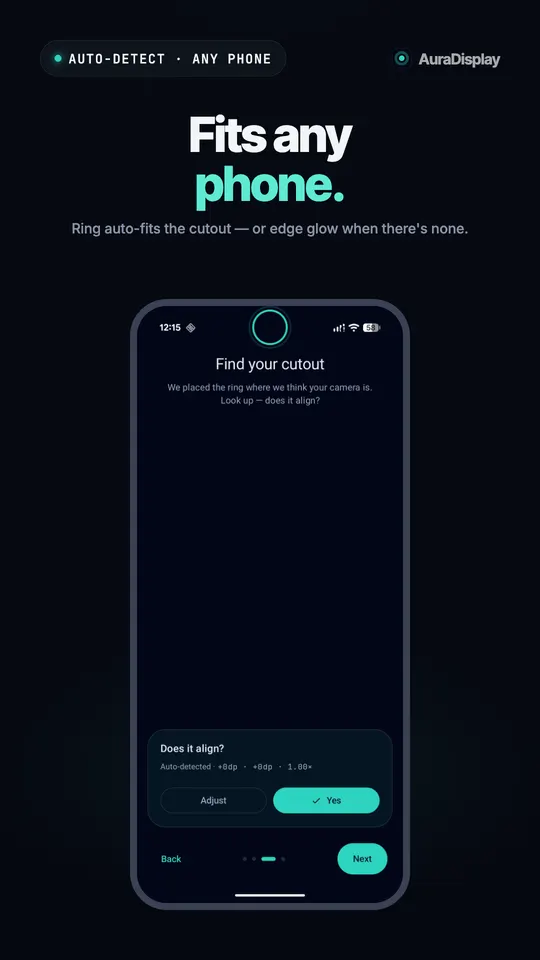
Fits your cutout
The ring finds your camera on its own. Nudge its position and scale for any punch hole, pill or notch, and it stays put after a restart.
A color per contact (BETA)
Give each person their own light in WhatsApp, Google Messages, Samsung Messages, Telegram, Viber, Messenger and Instagram. Still in beta.
More animation styles
Flash, Wave, Orbit and Static join the free Pulse, plus Dual Edge, where light ripples along the screen border.
Several apps at once
Up to three apps show together. Rings stack around the camera and edge glows nest inward from the border.
Quiet hours and auto-dismiss
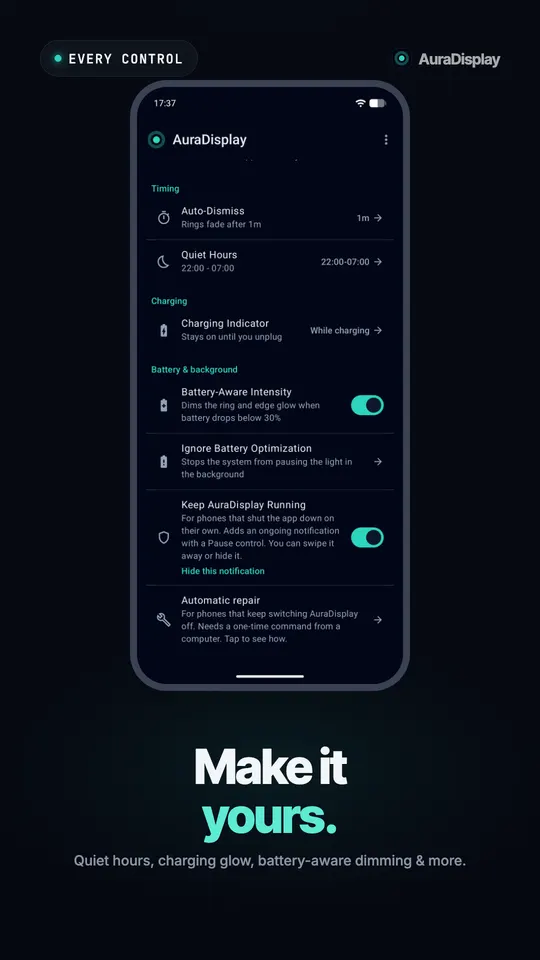
Keep the light dark during a daily window, and let it fade on a timer you choose.
Charging and battery aware
Show your battery level as a ring or a border fill while charging. The glow dims on its own below 30% battery.
Camera flash per app
Blink the rear camera light when the apps you choose notify and the phone is not in use. Never in Do Not Disturb, quiet hours or for silent notifications.
How it works
- 1
Grant notification access and the accessibility service, then watch a test notification light up.
- 2
Pick the apps you care about. Each one gets its icon's color and a ring or edge look.
- 3
Lock your phone. New notifications glow until you open or clear them.
 Pro is a one-time purchase. No subscription.
Reviews
What people say on Google Play
“ok hands down the best notification app in play store. I have Pro and I highly recommend it. developer also extra responsive and very helpful!”“Just about perfect! - This app is one of the only ones I've found that is simple, and doesn't have all of the unimportant nonsense like live wallpapers. It offers the ability to have a glow around the camera or edge lighting, and allows for specific settings per app, which I love! …”“Funktioniert super. Bin sehr zufrieden. Alle Einstellungen die man macht funktionieren ohne Probleme!”Free and Pro
Pro is a one-time purchase. No subscription.
Free
- Two modes per app: camera ring or screen edge light
- Colors auto-matched to each app's icon
- Pulse animation
- Turn the light on or off for any app
- Ring position and scale for any punch hole, pill or notch
- Always-On Display support with a static glow
- Lock screen light, locked or unlocked
- Self-test with a real notification during setup
- Adjustable thickness for the ring and the edge glow
- Skip the light for silent notifications
- Automatic repair after a force-stop, with a one-time setup from a computer
Pro
- Per-contact colors (BETA) in WhatsApp, Google Messages, Samsung Messages, Telegram, Viber, Messenger and Instagram
- Dual Edge animation along the screen border
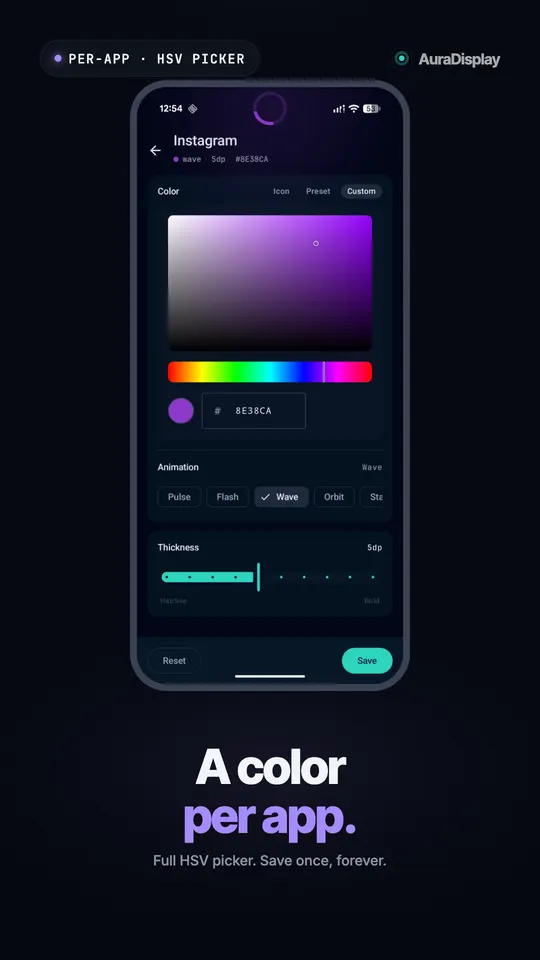
- Custom color per app with a full HSV picker
- Flash, Wave, Orbit and Static animation styles
- Auto-dismiss timer
- Battery-aware intensity below 30% battery
- Up to 3 apps at once, stacked rings or nested edge glows
- Quiet hours
- Charging indicator as a camera ring or border fill
- App icons on the always-on display, hidden in Do Not Disturb if you like
- One animation style for all your apps in one step
- Camera flash for the apps you choose
What you need
- Android 8.0 or newer
- Ring mode: a punch hole, pill or notch camera
- Edge mode: any Android phone
- Notification access and the accessibility service
- Always-On Display needs an AMOLED screen with AOD turned on
Version 3.7.0 · Nov 7, 2026 · What's new
Questions
AuraDisplay: questions
How do I get a notification light on Samsung?
Install AuraDisplay, grant notification access and the accessibility service, and pick your apps. On a Galaxy with a punch hole camera the ring wraps the cutout, and edge mode works on any model. To see the light with the screen off, turn on Always On Display in Samsung's lock screen settings. AuraDisplay draws on the lock screen and AOD, so you get a glow in each app's color without unlocking.
Why does AuraDisplay need accessibility and notification access?
Notification access tells AuraDisplay that a notification arrived and which app sent it. The accessibility service is the only way Android lets an app draw over the lock screen and Always-On Display, which is where the light lives. AuraDisplay reads the app name and icon color only. It never stores or shares notification content, and it does not use accessibility to read your screen.
Does AuraDisplay work on Always-On Display?
Yes, on phones with an AMOLED screen and AOD switched on. The light shows as a steady glow there. An AOD panel refreshes about once a second, so animations rest while the screen is off and play again when you wake the phone. That keeps the light readable and easy on the battery. A new notification can take up to about a second to appear on AOD.
Does AuraDisplay drain the battery?
Very little. On Always-On Display the light stays static, black pixels on an AMOLED screen use no power, and animations only run while the screen is on. Rendering is hardware accelerated. Pro adds battery-aware intensity, which dims the glow below 30% battery, and quiet hours to keep it dark overnight. If AOD itself is already on, the ring adds a small lit area to it.
Is AuraDisplay free?
Yes. The free version gives you the camera ring and the edge light for any app, icon-matched colors, the Pulse animation, ring calibration, Always-On Display and lock screen support. Pro is a one-time purchase with no subscription. It adds per-contact colors (BETA), custom colors, more animation styles, several apps at once, auto-dismiss, quiet hours, battery-aware dimming and a charging indicator.
Which phones does AuraDisplay support?
Any Android 8.0 or newer phone. Ring mode needs a camera cutout, and AuraDisplay finds it on Pixel, Samsung Galaxy, Xiaomi, POCO, OnePlus, Oppo, Realme, Vivo, Honor, Motorola, Nothing and more. Punch holes, pills and teardrop notches all work, and you can fine-tune the position. No cutout at all? Edge mode lights the screen border and works on every phone.
How do I stop Android killing AuraDisplay?
Turn on Keep AuraDisplay Running in the app's settings, set battery optimization to unrestricted, and allow the app in your phone maker's background or auto-start settings. Some phones still close apps on their own. When a cleaner or a force-stop happens, Android switches the accessibility service off, and AuraDisplay sends a notification so you can turn it back on with one tap. With Automatic repair, a one-time permission given from a computer, AuraDisplay switches the service back on by itself after a force-stop.
Can I give each contact a different light color?
Yes, with Pro. Per-contact colors work in WhatsApp, Google Messages, Samsung Messages, Telegram, Viber, Messenger and Instagram. The feature is marked BETA because it depends on what each app shares about the sender. Some apps share it far more reliably than others, so a contact may sometimes light in the app's color instead of their own.
Guides
Guides for AuraDisplay
Notification light
Always On Display (AOD): What It Is and How to See Notifications
What Always On Display is, how to turn it on and show notifications on Samsung and Pixel, what it costs in battery, and how to add a notification light.
Read moreNotification light
Edge Lighting for Notifications on Any Android Phone (2026)
Want the screen edges to glow for notifications? Check your phone's built-in edge lighting first, then add an edge lighting app that works on any Android.
Read moreNotification light
How to Get a Notification Light on a Google Pixel Phone (2026)
Pixel phones have had no notification LED since the Pixel 3. Here is what the built-in settings do, and how to get a light that stays on until you read it.
Read moreNotification light
How to Get a Notification Light on a OnePlus Phone (2026)
OnePlus phones have no LED, and Horizon Light or Edge lighting plays once and stops. Here are the OxygenOS settings, and a light that stays until you read it.
Read moreNotification light
How to Get a Notification Light on Any Android Phone (2026)
Your phone has no LED? Get a light that stays on until you read the message, around the camera or along the screen edge, or blink the flash for free.
Read moreNotification light
How to Get a Notification Light on Xiaomi, Redmi and POCO (2026)
Newer Xiaomi, Redmi and POCO phones have no LED and their AOD hides after 10 seconds. Here are the HyperOS settings, and a light that stays until you read it.
Read moreCompare
How AuraDisplay compares
Compare
AuraDisplay vs Always On Edge: Edge Lighting Apps Compared (2026)
Always On Edge is a big toolkit of options. AuraDisplay is a notification light that sets itself up and keeps your phone's own AOD. Compared, October 2026.
Read moreCompare
AuraDisplay vs aodNotify: Notification Light Apps Compared (2026)
aodNotify comes as separate versions per phone brand. AuraDisplay is one notification light app for any Android phone, with icon colors. October 2026.
Read moreCompare
AuraDisplay vs NotifyBuddy: Which Notification LED App? (2026)
NotifyBuddy shows an LED dot on its own black screen. AuraDisplay keeps your Always On Display and adds a ring or edge glow, with no ads. October 2026.
Read moreCompare
AuraDisplay vs Samsung Edge Lighting: Which Notification Light?
Samsung's Edge Lighting plays once and stops. AuraDisplay adds a light that stays on the lock screen and AOD until you read it. For Galaxy, October 2026.
Read moreCompare
The Best aodNotify Alternatives for a Notification Light (2026)
Looking for an aodNotify alternative? AuraDisplay is one app for any Android phone with icon colors and a steady AOD light. Four more compared, Nov 2026.
Read moreFree tools
Free Android tools
Free notification light preview for your phone
Open this page on your phone, pick a colour and go full screen. A ring of light appears around where your front camera sits, the way AuraDisplay draws it.
Open toolFree dead pixel and burn-in test
Fill your screen with solid colours to spot dead pixels, stuck pixels and burn-in, the faint ghost images that OLED screens can keep.
Open toolFree QR code generator
Make a QR code for any link or text and download it as PNG or SVG. No sign-up, no redirect links, nothing tracked: the code points exactly where you typed.
Open toolMore from llcloud
Pairs well with
Try AuraDisplay today.
AuraDisplay is a notification light for Android. A glowing ring wraps your punch hole camera, or a soft glow runs along the screen edge, in each app's own color.