Lithie
Battery health monitor
Battery health, measured from your charges
Lithie checks your battery health in mAh from real charges, stops charging at the level you set, and labels every figure as reported, calculated or estimated.
- Every figure says where it came from
- No root needed
- No ads, no account
Screens
Features
Battery figures you can check
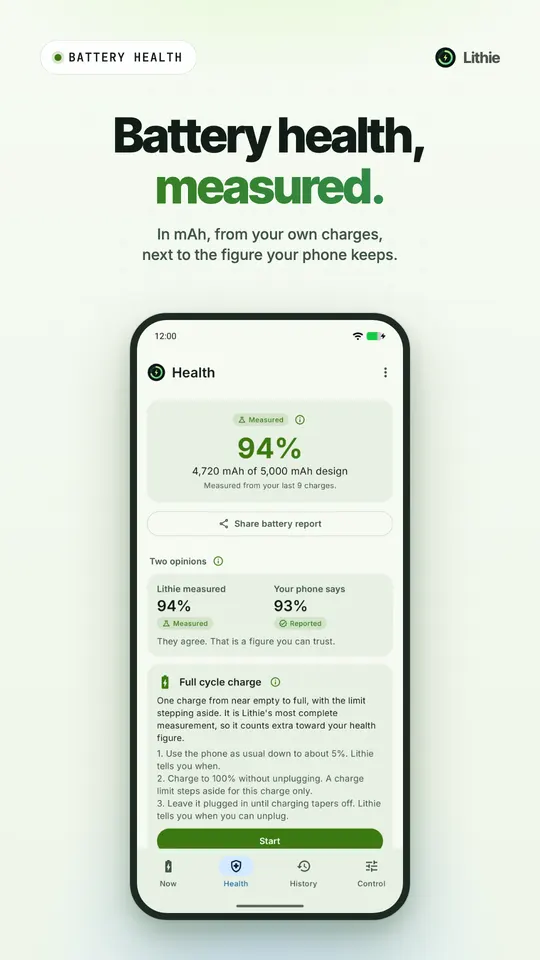
Battery health in mAh
Health in mAh and as a share of design capacity, calculated from real charges, partial ones included. An 80% charge limit does not get in the way.
Two opinions
Lithie's figure sits next to the one your phone reports, with a plain note on what a gap means. A battery report you can share helps when you buy or sell a used phone.
Full cycle charge
A guided charge from near empty to full. It is Lithie's most complete measurement, so it counts extra toward your health figure.
Charge limit
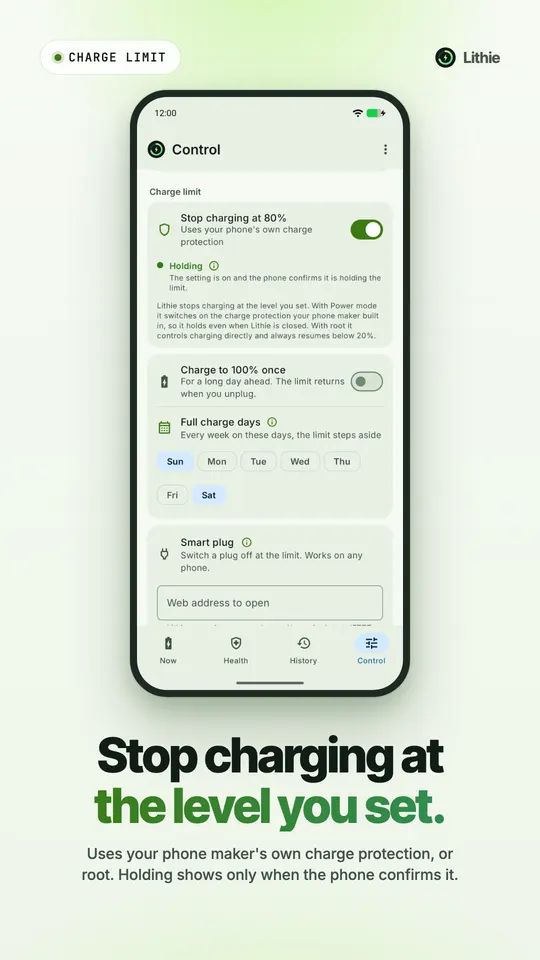
Stop charging at 80% or the level you set, through the protection your phone maker built in where your phone has it, or directly with root. Charge to 100% once, or pick full charge days each week.
Live battery monitor
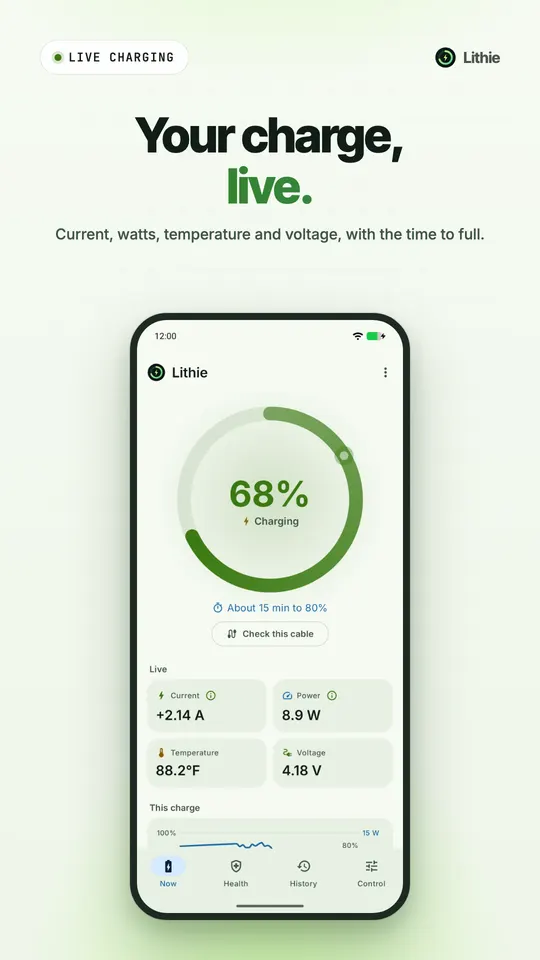
A live charge ring with current in mA, power in watts, temperature and voltage, plus time to full and time left. Holding at the limit shows as holding, never as slow charging.
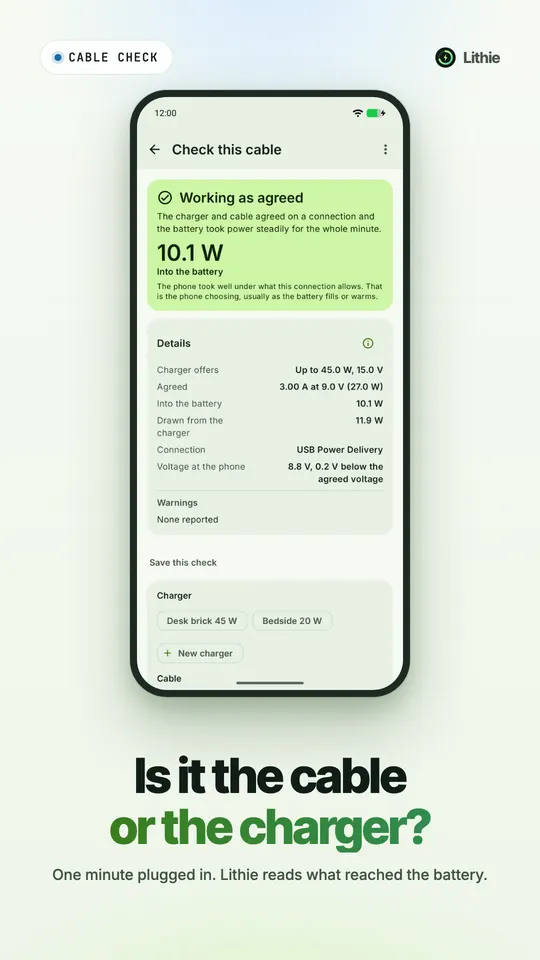
Charger and cable test
In about a minute Lithie reads what the charger offered, what the cable let through and Android's own USB warnings. When the phone slows charging itself, it says so instead of blaming the cable.
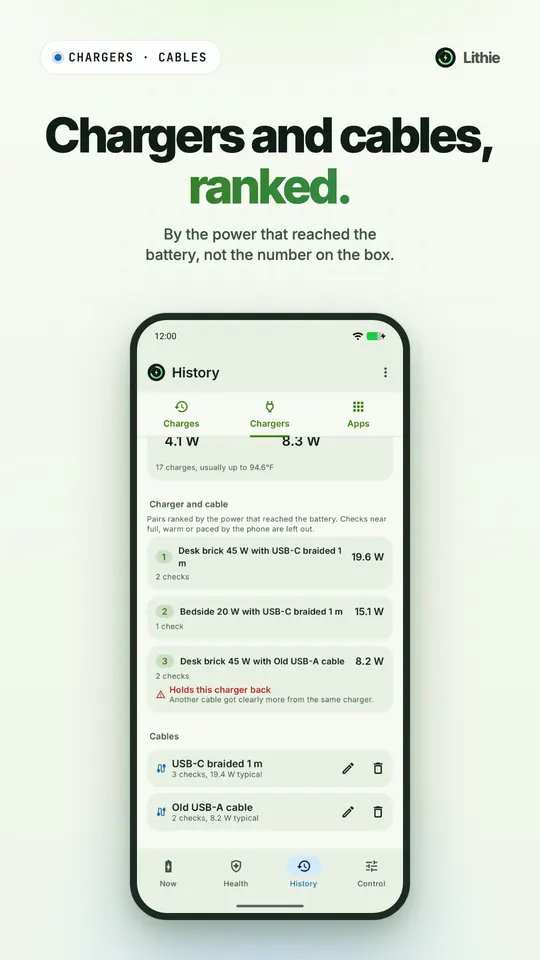
Chargers and cables ranked
Your chargers and cables ranked by the power that really reached the battery, not the number on the box.
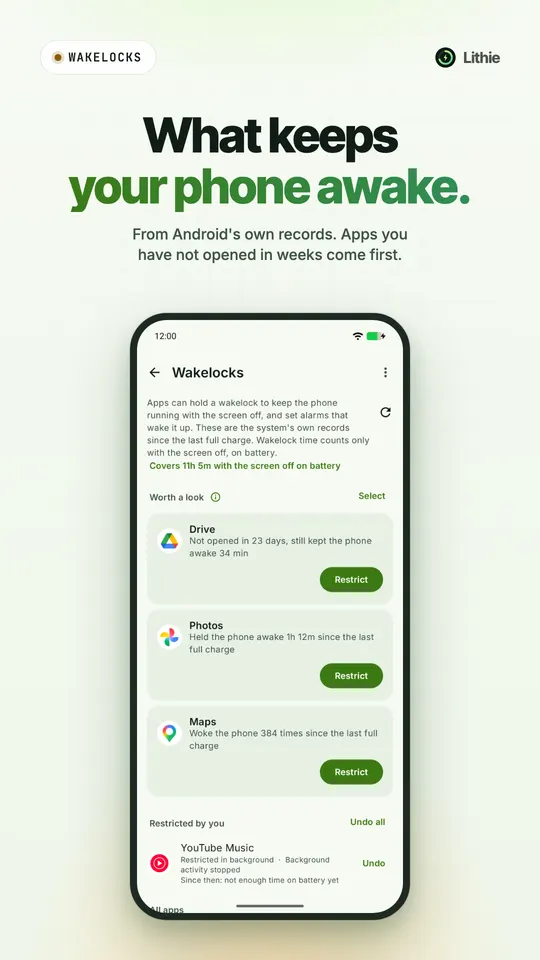
Wakelocks and app actions
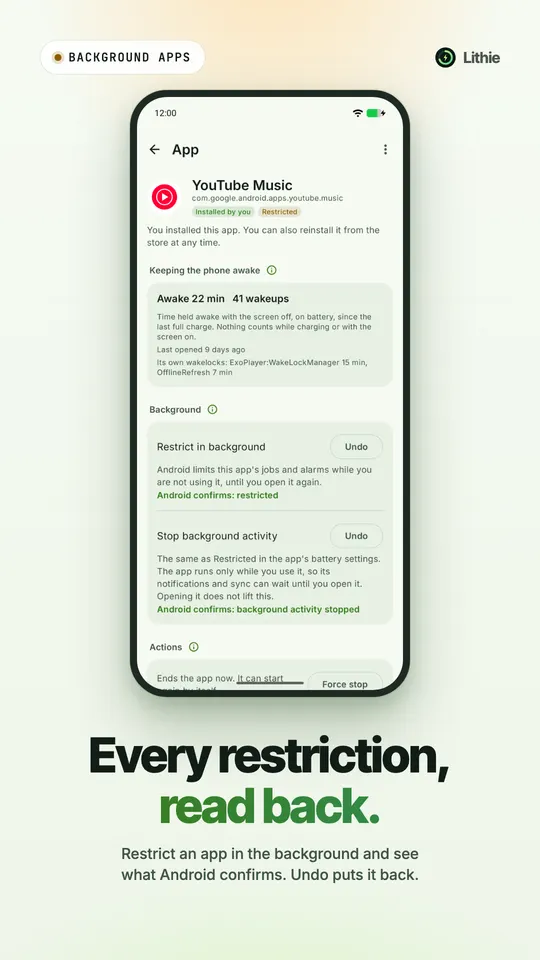
See which apps kept the phone awake with the screen off, from Android's own records. Restrict, stop or freeze an app, see what Android reads back, and undo it any time.
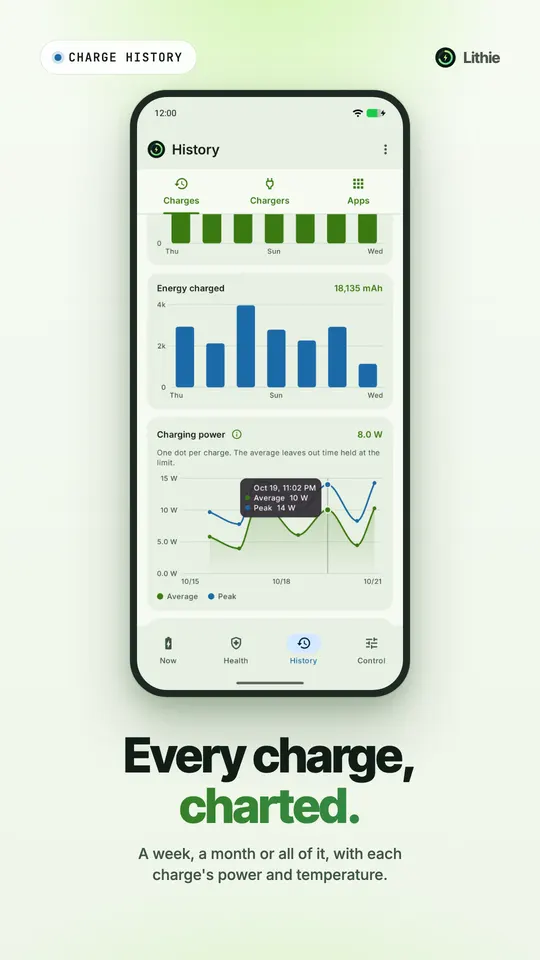
Charging history and alarms
Charts for charges, power, temperature and drain, with a report for every charge. Alarms for full and low battery can keep ringing until you look. A week of history is free, Pro keeps all of it.
How it works
- 1
Open Lithie and charge as you normally do. Partial charges count.
- 2
After a few charges, read your battery health in mAh next to the figure your phone reports.
- 3
Set a charge limit, test a cable, or check what keeps the phone awake.
 Lithie Pro is monthly, or yearly with a 3-day free trial, or a one-time purchase for life. No ads.
Free and Pro
Lithie Pro is monthly, or yearly with a 3-day free trial, or a one-time purchase for life. No ads.
Free
- The live charge ring
- Battery health
- A week of history
- The full and low charging alarm
- Keep ringing until you look
- The cable test
- Full cycle charge
Pro
- The charge limit and its schedule
- The smart plug
- Power mode
- Battery usage per app
- The wakelock view and app actions
- The heat alert
- A charge alarm at any level
- Health over time
- Full history
- Charger and cable ranking
- Export
- The widget and Quick Settings tile
What you need
- Android 11 or newer
- Charge limit: your phone maker's battery protection, root, or a smart plug
- Power mode sets up once through Wireless debugging, no computer
- Root optional, for extra kernel and gauge figures
Version 1.0.0 · Oct 21, 2026 · What's new
Questions
Lithie: questions
How do I check battery health on Android?
Lithie calculates your battery health in mAh and as a share of design capacity from your own charges, including partial ones. It shows that figure next to the one your phone reports, with a note on what a gap means. Every number is labelled reported, calculated or estimated, so you know where it came from. Battery health is in the free version.
How do I stop charging at 80% on Android?
Lithie Pro stops charging at 80% or any level you set. It uses the battery protection your phone maker built in where your phone has it, or controls charging directly with root. You can charge to 100% once for a long day, or pick full charge days each week. With no switch on your phone, Lithie can open a smart plug's web address at the limit.
Can I measure battery health without draining the battery to zero?
Yes. Lithie calculates capacity from partial charges, so you never have to run the phone flat, and an 80% charge limit does not block the measurement. For the most complete figure there is an optional Full cycle charge that walks you through one charge from near empty to full. It counts extra toward your health figure.
How do I know if my charging cable or charger is bad?
Plug in and run Lithie's cable test. In about a minute it reads what the charger offered, what the cable let through, the connection protocol and Android's own USB warnings. When the phone slows charging itself because it is nearly full, warm or pacing the charge, Lithie says so instead of judging the cable. The cable test is free.
How do I see which apps keep my phone awake?
Lithie Pro's wakelock view shows which apps kept the phone awake with the screen off and what woke it, from Android's own records. Apps you have not opened in weeks that keep waking the phone come first. You can restrict an app in the background, stop its background activity or freeze it. Each change is read back from Android and can be undone.
Does Lithie need root?
No. Battery health, the live monitor, alarms and the cable test work like any normal app. The charge limit, the phone's own battery figures and app actions need more access, which Lithie sets up once through Wireless debugging on the phone itself, with no computer. With root, Lithie can also read the kernel's wake sources and the battery gauge's own figures.
Is Lithie free?
Lithie is free to use with the live charge ring, battery health, a week of history, the full and low charging alarm, the cable test and Full cycle charge. Lithie Pro adds the charge limit, wakelocks, full history and more. Pro is monthly, or yearly with a 3-day free trial, or a one-time purchase for life. There are no ads.
Does Lithie need an account or send my battery data anywhere?
No. There is no account to create, and your battery history stays on your phone. Lithie needs Android 11 or newer and starts measuring from your first charge, partial ones included, so you do not have to drain the battery to zero first. A Full cycle charge gives it its most complete reading when you have time for one.
Guides
Guides for Lithie
Compare
How Lithie compares
Compare
Lithie vs AccuBattery: Which Battery Health App for Android?
Lithie vs AccuBattery as of October 2026: battery health in mAh with every figure labelled, a real charge limit instead of an alarm, a cable test and no ads.
Read moreCompare
Lithie vs Battery Guru: Which Battery Health App for Android?
Lithie vs Battery Guru as of October 2026: battery health in mAh, a charge limit that stops charging, which apps keep the phone awake, ads and price.
Read moreFree tools
Free Android tools
More from llcloud
Pairs well with
 On Google Play
Phone care
Broomie Android TV
Cache and junk cleaner that explains every item
 On Google Play
Notification light
AuraDisplay
A notification light around your camera or screen edge
 On Google Play
Privacy
Repel Android TV
DNS ad blocker, tracker blocker and per-app firewall
Try Lithie today.
Lithie checks your battery health in mAh from real charges, stops charging at the level you set, and labels every figure as reported, calculated or estimated.